This section has the plugin(s) that I've developped for Where Is It cataloging utility software.
Description of WhereIsIt [With developer's own words] is: "WhereIsIt is
an application written for 32-bit Windows operating systems, designed to help
you maintain and organize a catalog of your computer media collection, including
CD-ROMs, audio CDs, diskettes, removable drives, hard drives, network drives,
DVDs, or any other media that Windows can access as a drive. The most basic goal
for WhereIsIt is to provide access to the contents of any media you have from a
cataloged database, even if the media itself is not available on the system -
you can browse lists of files and folders, search by any criteria, use
descriptions, thumbnails, categories, flags, etc."
WhereIsIt Max |
[v0.9.2 for whereIsIt 3.50+] | |
|
|
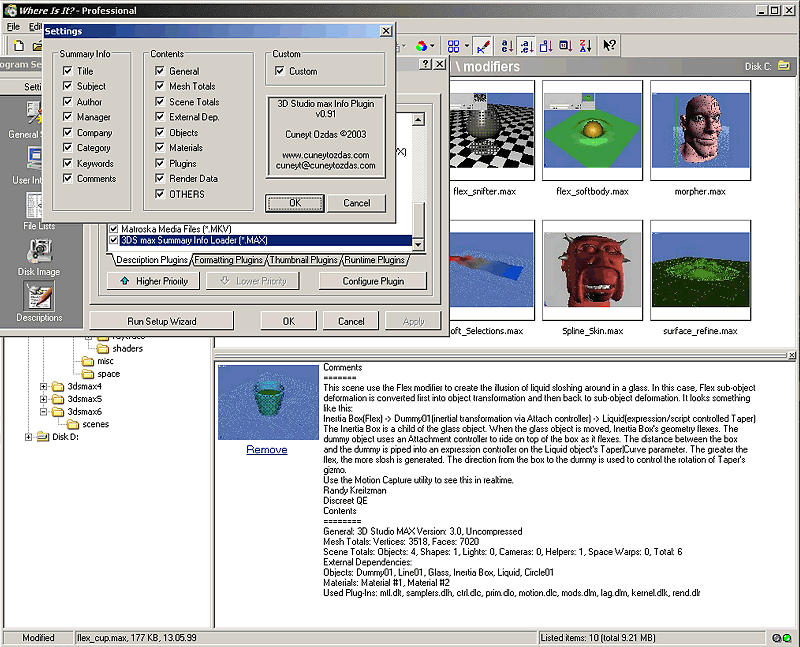
This plugin lets WhereIsIt extract information from 3ds max scene files
(*.max). The plugin has 2 modules, text information loader and scene
thumbnail loader. There are many parameters to control the information
that'll be cataloged. Please note that not all of the max scenes has the
same information saved with them. Some max files lacks the thumbnail image
for example. You may want to configure your 3ds max to save thumbnail and
other information into 3ds max file when the scene is saved. If configured
that way, It lets you search the scenes by a used plug-in name or name of an
object or material in the scene. click here to see a screenshot, click here to download new: 22.04.2004 !!! |